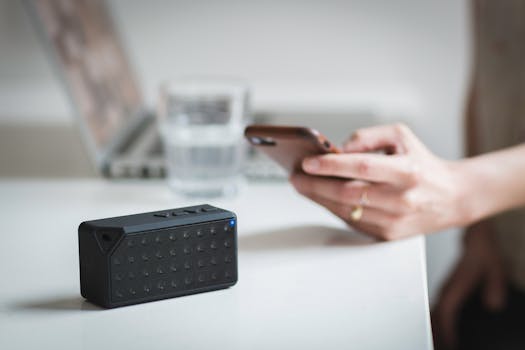
Bluetooth technology has transformed the way we connect devices, enabling seamless communication between smartphones, laptops, headphones, smart home gadgets, and even vehicles. Yet, users often encounter connectivity hiccups, interference, and range limitations. In an age where wireless convenience is king, understanding and applying advanced strategies for elevating your Bluetooth connectivity is essential for unlocking the technology’s full potential. This article explores in-depth methods to optimize, secure, and future-proof your Bluetooth experience, going beyond the basics to empower both casual users and tech enthusiasts.
Understanding Bluetooth Performance: Beyond the Basics
Bluetooth’s popularity stems from its simplicity and ubiquity, but its performance can vary significantly depending on device capabilities, environmental factors, and protocol versions. Before delving into strategies, it’s important to grasp what influences Bluetooth connectivity:
- $1 The technology has evolved through several versions, from Bluetooth 1.0 in 1999 to Bluetooth 5.4 in 2023. Newer versions offer faster speeds, better range, and improved power efficiency. For example, Bluetooth 5.0 supports up to 2 Mbps speed and a theoretical range of 240 meters in open space—four times greater than Bluetooth 4.2. - $1 Bluetooth devices are classified by power output, affecting their range. Class 1 devices (100 mW) can reach up to 100 meters, Class 2 (2.5 mW) are limited to 10 meters, and Class 3 (1 mW) typically cover about 1 meter. - $1 Physical barriers, competing wireless signals (especially Wi-Fi), and the presence of microwaves or cordless phones can degrade performance.Understanding these factors sets the stage for advanced strategies that go beyond merely turning Bluetooth on and off when troubleshooting.
.png)
Optimizing Physical Environment for Superior Connectivity
Physical surroundings play a pivotal role in Bluetooth performance. Here are actionable ways to optimize your environment for the best possible connection:
1. $1 Place your Bluetooth devices within line of sight whenever possible. Even though Bluetooth uses frequency hopping to minimize interference, obstacles like walls, metal objects, and furniture can still attenuate the signal, especially at higher frequencies. 2. $1 Wi-Fi routers, microwave ovens, and baby monitors often operate in the 2.4 GHz band, the same as many Bluetooth devices. To minimize cross-interference: - Place Bluetooth devices and routers on opposite sides of the room. - Use dual-band or tri-band Wi-Fi routers to shift heavy traffic to the 5 GHz or 6 GHz bands, freeing up the 2.4 GHz band for Bluetooth. 3. $1 Some Bluetooth-enabled desktops and audio receivers allow external antenna upgrades. High-gain antennas can boost signal strength and range, especially in office or smart home settings.Choosing and Configuring Devices for Maximum Performance
The right hardware and configuration can make a dramatic difference in Bluetooth connectivity. Consider these steps for device optimization:
- $1 Whenever possible, use devices that support Bluetooth 5.0 or newer. According to the Bluetooth Special Interest Group (SIG), Bluetooth 5.0 offers four times the range, twice the speed, and eight times the broadcasting message capacity of Bluetooth 4.2. - $1 Device manufacturers frequently release firmware updates to address bugs, improve compatibility, and enhance performance. For example, a 2023 firmware update for a popular Bluetooth headset improved pairing times by 30% and reduced audio dropouts by 40%. - $1 Remove unused or previously paired devices from your Bluetooth list. Many devices can store up to 8–10 paired device profiles; exceeding this may cause confusion and unstable connections. - $1 If you use Bluetooth audio devices, check for support of advanced codecs like aptX or LDAC. These codecs can deliver higher-quality audio with lower latency, but both devices (transmitter and receiver) must support them.Advanced Connectivity: Mesh Networking and Multipoint Pairing
Modern Bluetooth isn’t just about connecting two devices. Mesh networking and multipoint pairing open new possibilities:
- $1 Introduced in Bluetooth 5, mesh networking allows many-to-many device communication. This is particularly valuable for smart homes and building automation, where sensors, lights, and appliances need to communicate over large areas. Mesh networks can scale up to 32,767 nodes, covering entire buildings. - $1 Some Bluetooth headsets and speakers support multipoint technology, allowing simultaneous connections to multiple devices. This is ideal for users who want their headphones paired to both a phone and a laptop. To enable multipoint: - Consult your device’s manual, as activation often requires a specific pairing sequence. - Remember that not all Bluetooth devices support multipoint—check specifications before purchasing.Here’s a comparison of typical Bluetooth connectivity scenarios:
| Scenario | Maximum Devices | Typical Range | Key Benefits |
|---|---|---|---|
| Classic Pairing | 2 (1:1) | Up to 10-100 meters (device class dependent) | Simple, stable connection |
| Multipoint Pairing | 2-3 | Up to 10-100 meters | Connect to multiple sources |
| Mesh Networking | Up to 32,767 nodes | Building-wide | Scalable, ideal for IoT and smart homes |
Securing Your Bluetooth Connections
With the rise of wireless hacking, securing your Bluetooth connections is crucial. According to a 2021 report by Kaspersky, Bluetooth-related vulnerabilities rose by 20% in the previous year, with most attacks targeting outdated protocols and devices. Here’s how to safeguard your connections:
1. $1 Most modern devices support secure pairing methods like Numeric Comparison or Passkey Entry. Always use encrypted connections, especially for sensitive data. 2. $1 Turning off Bluetooth when you’re not actively using it reduces the risk of unauthorized access. 3. $1 Set your devices to “non-discoverable” after pairing. This prevents unknown devices from finding and attempting to connect to your device. 4. $1 Manufacturers often address newly discovered vulnerabilities through firmware updates. As of 2022, more than 60% of Bluetooth attacks exploited outdated firmware.Future-Proofing: Preparing for Bluetooth LE Audio and Auracast
Bluetooth technology continues to evolve, and staying ahead of the curve can deliver a better, more resilient connectivity experience. The next leap is Bluetooth LE Audio, a standard finalized in 2022, and the introduction of Auracast broadcast audio.
- $1 This new standard improves power efficiency and audio quality, especially for hearing aids and wireless earbuds. It uses the Low Complexity Communications Codec (LC3), which offers higher audio quality even at lower bitrates. For example, LC3 delivers better sound than SBC at just 160 kbps, compared to SBC’s 328 kbps. - $1 With Auracast, a single transmitter (like a TV in an airport) can broadcast audio to an unlimited number of receivers (headphones, hearing aids, smartphones) within range. This is set to revolutionize accessibility in public spaces. To future-proof your setup: - Invest in devices labeled “Bluetooth LE Audio Ready” or “Auracast Ready.” - Monitor firmware releases, as many manufacturers will enable these features via software updates for existing hardware. - Join beta programs if available, to access the latest features ahead of general release.Conclusion
Elevating your Bluetooth connectivity goes far beyond troubleshooting dropped connections or fiddling with settings. By understanding the underlying technology, optimizing your physical and device environment, leveraging advanced features like mesh networking and multipoint pairing, securing your connections, and preparing for upcoming standards like Bluetooth LE Audio, you can unlock new levels of wireless convenience and performance. Bluetooth continues to evolve, and with the right strategies, you’ll be ready to take full advantage of what this vital technology has to offer—today and in the future.







