Tuning USB for Peak Performance: A How-To Guide
USB devices are ubiquitous in today’s digital age, serving a myriad of functions from data transfer to device charging. However, many users are unaware that the performance of their USB devices can be significantly enhanced through proper tuning and optimization. This guide will walk you through the steps to maximize the efficiency and speed of your USB devices, ensuring you get the best possible performance.
Understanding USB and Its Capabilities Before diving into tuning, it’s essential to understand what USB is and its capabilities. USB, or Universal Serial Bus, is a standard that defines the cables, connectors, and communications protocols used in a bus for connection, communication, and power supply between computers and electronic devices. Over the years, USB standards have evolved from USB 1.0 to USB 4, each version offering improved data transfer rates and more power output capabilities.
.png)
Identifying Your USB Hardware and Requirements The first step in tuning your USB for peak performance is to identify the type of USB ports and devices you are using. Check whether your computer and peripheral devices are compatible with USB 3.0, USB 3.1, or USB 4.0, as these versions provide higher transfer speeds and more efficient power management compared to older versions like USB 2.0.
Updating USB Drivers Keeping your USB drivers up-to-date is crucial for optimal performance. Manufacturers frequently release driver updates to fix bugs, improve stability, and enhance performance. Check your device manufacturer’s website for the latest driver updates or use your operating system’s device manager to check for driver updates automatically.
Optimizing USB Device Settings For Windows users, optimizing USB settings can be done through Device Manager. Navigate to the USB controllers section, and right-click on each USB root hub and select Properties. Under the Power Management tab, ensure that the option to allow the computer to turn off this device to save power is unchecked. This setting prevents your USB device from being turned off during critical operations, thereby enhancing performance.
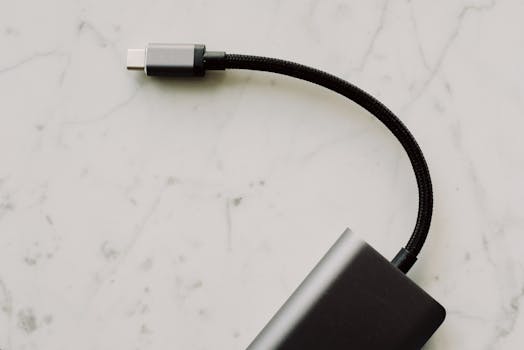
Using High-Quality USB Cables The quality of your USB cable also affects the performance of your USB devices. Poor quality or damaged cables can cause slow transfer speeds and intermittent connectivity issues. Always use high-quality, certified USB cables that match your USB version to ensure maximum data transfer efficiency and power flow.
Enhancing Power Supply If you are using USB devices that require a significant amount of power, such as external hard drives, ensure that your USB hub is powered. Powered hubs come with their own power supply, providing stable power to connected devices and improving overall performance.
Testing USB Speeds After making these adjustments, it’s a good idea to test your USB device's speeds to ensure that the tuning has been effective. Use tools like USBDeview or CrystalDiskMark to measure the read and write speeds of your USB devices. These tools can help you verify that your devices are operating at their optimal performance level.
Regular Maintenance Regular maintenance of your USB devices and ports is also essential for sustained performance. Keep your USB ports clean and free from dust and debris, which can interfere with connectivity. Additionally, safely eject your USB devices when not in use to prevent data corruption and prolong the life of your devices.
Conclusion By following these steps, you can tune your USB devices for peak performance. Whether you are a professional needing fast data transfers for work or a casual user looking to improve the efficiency of your home setup, these tips will help you optimize your USB devices’ performance. Remember, the key to maintaining peak performance is regular monitoring and maintenance of your USB hardware and software settings.