Unlock the Full Potential of Performance-Tuned USB Technology
In today's fast-paced digital world, the efficiency of your devices isn't just about convenience—it's about maximizing productivity and maintaining a seamless workflow. USB technology, a staple in data transfer and device charging, has evolved significantly, giving rise to performance-tuned USBs. These enhanced devices are designed to optimize speed and reliability, making a notable difference in your digital routine. Here’s how you can harness the power of performance-tuned USBs to upgrade your tech experience.
Understanding Performance-Tuned USBs
.png)
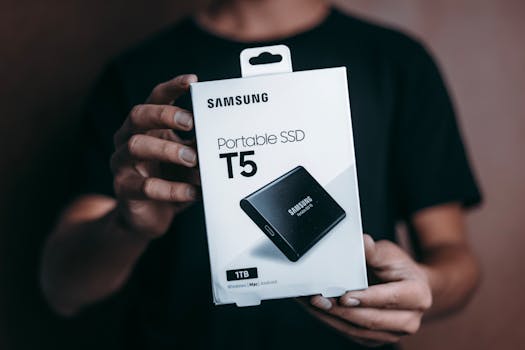
Performance-tuned USBs boast superior specifications that cater to rapid data transfer and efficient power management. For instance, USB 3.0 and USB 3.1 interfaces outpace the older USB 2.0 standard, offering far quicker data transmission rates. This means less time waiting for files to transfer and more time focusing on productive tasks.
Compatibility Is Key
To make the most of a performance-tuned USB, ensure it's compatible with your device. If a USB 3.0 drive is plugged into a USB 2.0 port, the port's limitations will curb the drive’s potential, confining it to slower transfer speeds. Matching your USB device with a port that supports the same standard is crucial for tapping into the benefits of advanced USB technology.
Invest in Quality Cables
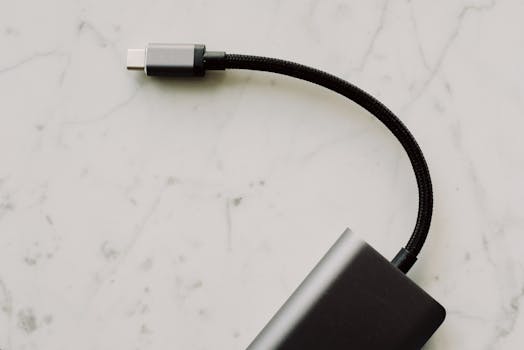
The cable connecting your USB device to your computer or charger can also impact performance. Low-quality cables can degrade over time or fail to deliver optimal data transfer and charging capabilities, leading to slower performance and potential data loss. Choosing certified, high-quality cables ensures you maintain the integrity and speed of your connections.
Consider Storage and Security
When selecting a performance-tuned USB, consider both storage capacity and security features. A larger capacity drive allows for more comprehensive data management and backup solutions, which is especially useful in professional settings where large files are common. For sensitive information, opt for drives with robust encryption and security protocols to safeguard your data from breaches.
Optimize with the Right File System
The file system on your USB drive affects how data is stored and accessed. Systems like NTFS are generally faster on Windows machines than FAT32 or exFAT, but each system has its pros and cons regarding file size limits and compatibility across different operating systems. Choose the file system that best matches your needs for optimal performance.
Enhance with Software Tools
Several software tools can enhance the performance of your USB drive. These applications assist in drive formatting, partition management, and creating bootable drives. They can also optimize file transfer speeds and manage power settings to extend the life of your devices.
Maintain to Sustain
Regular maintenance is crucial for sustaining the performance of your USB devices. Keep USB ports and connectors free from dust and debris to ensure a stable connection. Moreover, always eject your USB device safely to prevent data corruption and increase the longevity of your drive.
Conclusion
Performance-tuned USBs are more than just storage devices; they are a significant upgrade to your digital toolkit, enabling faster transfers, efficient charging, and secure data handling. By understanding and utilizing the right USB technology, maintaining your equipment, and using compatible accessories, you can greatly enhance your interaction with digital devices. Whether for professional use or personal convenience, performance-tuned USBs are an excellent investment in today’s digital age.