Enhancing USB Performance: Do’s and Don'ts
USB devices are integral to our daily digital interactions, serving as the bridge for transferring data between devices like flash drives, cameras, and smartphones. To maximize the efficiency and speed of your USB connections, it's important to understand and implement certain optimization techniques. Let’s explore how you can enhance your USB device performance effectively.
Understanding USB Standards and Speeds
.png)
USB technology has evolved significantly over the years. Here’s a quick overview of the different USB standards:
- USB 1.0: Now obsolete, it was the first version introduced.
- USB 2.0: Offers a transfer rate of up to 480 Mbps, suitable for basic peripherals.
- USB 3.0 and USB 3.1: Known as USB 3.1 Gen 1 and Gen 2, these versions support speeds up to 5 Gbps and 10 Gbps, respectively.
- USB 4: The latest standard, supporting speeds up to 40 Gbps and compatible with Thunderbolt 3 devices.
Do’s for Enhancing USB Performance
- Use the Right Standard: Utilize the highest USB standard available on your device to avoid speed limitations.
- Upgrade Your Hardware: For critical speed requirements, upgrading to a device with USB 3.1 or USB 4 compatibility can be beneficial.
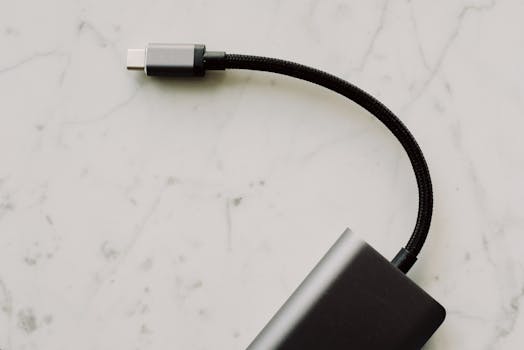
- Opt for Quality Cables: Ensure the use of high-quality, certified cables that correspond to your USB standard to avoid performance degradation.
- Keep Your Drivers Updated: Regular driver updates can enhance performance and resolve potential issues.
- Minimize USB Hub Use: Direct connections to your computer can prevent data bottlenecks and power discrepancies.
Don'ts for Enhancing USB Performance
- Avoid Overloading USB Hubs: Using multiple high-power devices on a single hub can cause power distribution problems. Consider using a powered hub if necessary.
- Don’t Ignore Compatibility Issues: Ensure all devices and cables are compatible to avoid reduced speeds or hardware damage.
- Avoid Long Cables: Longer cables can cause signal degradation. Use the shortest possible cable for your needs.
- Don’t Neglect Device Maintenance: Regular formatting and defragmenting can maintain optimal performance of your storage devices.
- Avoid Cheap, Unbranded Products: These may not meet standard specifications and can be unreliable. Opt for branded, reputable products instead.
Additional Tips for USB Performance
- Monitor Your USB Ports’ Health: Tools are available to diagnose and monitor the performance and health of your USB ports.
- Use USB Performance Enhancement Software: Some software programs can potentially boost USB transfer speeds, especially useful for large file transfers.
- Consider External Factors: Keep USB devices away from sources of electrical interference such as wireless devices or large electronic appliances.
By adhering to these do’s and don’ts, you can ensure optimal performance from your USB devices. Understanding the capabilities of your devices and making informed choices about their usage is crucial, whether you're a casual user or a tech enthusiast. Implement these tips to optimize your USB setup for enhanced efficiency and speed.