Introduction
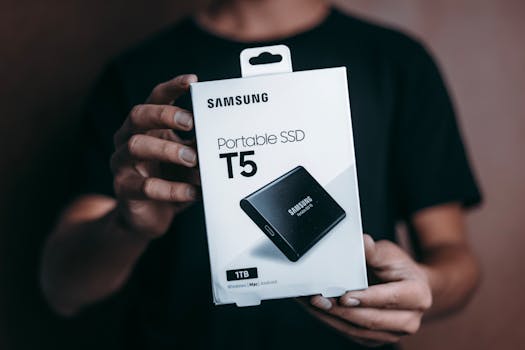
In the fast-paced world of digital technology, USB drives are a staple for data transfer and storage. But not all USB drives are made equal. Performance-tuned USBs, designed with advanced technology for superior speed and efficiency, can transform your experience with data handling. This article explores these high-performance devices, offering insights on their benefits, how to select the right one, and tips for maximizing their potential.
Understanding Performance-Tuned USBs
.png)
Performance-tuned USBs go beyond standard offerings, equipped with enhanced capabilities to manage large files and achieve higher data transfer rates. Most of these USBs are compatible with USB 3.0 or newer standards, hitting transfer speeds up to 5 Gbps or more—significantly faster than the 480 Mbps of USB 2.0.
Why Opt for a Performance-Tuned USB?
Opting for a performance-tuned USB brings several advantages:
- Time Efficiency: For professionals like video editors, photographers, or developers, these USBs can drastically cut down data transfer times.
- Reliability: Constructed with superior components, high-performance USBs tend to offer greater durability and less risk of data corruption.
Choosing the Right USB
To pick a suitable performance-tuned USB, consider these factors:
- USB Version: Aim for at least USB 3.0 to ensure good transfer speeds.
- Capacity: Capacities range widely, from a few gigabytes to several terabytes, based on your requirements.
- Read and Write Speeds: Always check the speeds as advertised by the manufacturer.
- Brand and Quality: Opt for well-known brands with good reviews for reliability.
- Price: Though more expensive, the investment in a performance-tuned USB is justified for those needing efficient performance.
Tips for Maximizing USB Performance
To fully leverage your performance-tuned USB, follow these tips:
- Format Appropriately: Choose NTFS for large files on Windows, but remember FAT32 is limited to files under 4GB.
- Connect Directly: Use direct USB ports on your computer instead of a USB hub to avoid speed reductions.
- Maintain Cleanliness: Keep your USB drive free of unnecessary files and defragment it periodically.
- Update Drivers: Keep your computer’s USB drivers up to date to ensure smooth performance.
- Minimize Multitasking: Limit running intensive applications simultaneously with large file transfers to avoid slowing down the process.
Troubleshooting Common USB Issues
Even the best USBs can encounter problems. Here are fixes for common issues:
- Slow Transfer Speeds: Ensure the drive is in a USB 3.0 port and that no background apps are interfering with performance.
- Device Not Recognized: This could be due to outdated drivers or a damaged port. Try another port or computer.
- Data Corruption: Always eject your USB safely and consider high-quality, reputable brands for your drives.
Conclusion
Performance-tuned USBs offer significant advantages in efficiency and reliability, making them a valuable investment for both professionals and general users. By selecting the right USB, using it wisely, and solving common problems effectively, you can maximize the performance and longevity of your device, ensuring a smooth and efficient digital experience.